




synthesizer




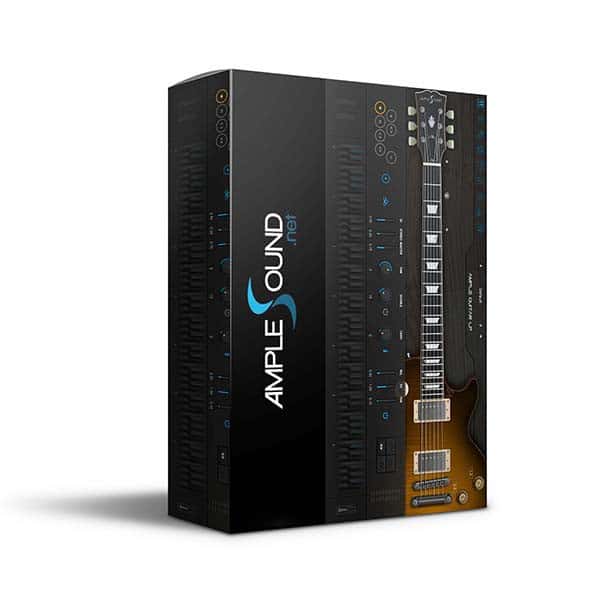
Ample Guitar Les Paul III
System Requirements:
- Apple Silicon & Intel Supported
- Lifetime Activation & Access To Download
- Future Free Updates
- Full Version
- Instant Download
- Windows 10/11, 64-bit only (Intel i5 or higher & 8GB RAM)
- Mac: 10.9 or higher. (M1 & M2)
- VST2, VST3, AU, AAX, and Standalone host.
- 10 GB Hard Disk



£10.00
Demo Songs
-
1. World on Fire Intro: Slash Cover
-
2. Prison Break Intro: AGLP demo song
-
3. The Silence of Falling Flower Intro: AGLP demo song
-
4. Em9 Intro: AGLP demo song
-
5. 80s Solo Intro: AGLP demo song
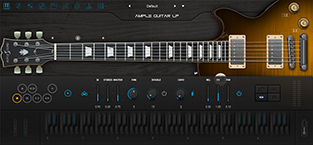
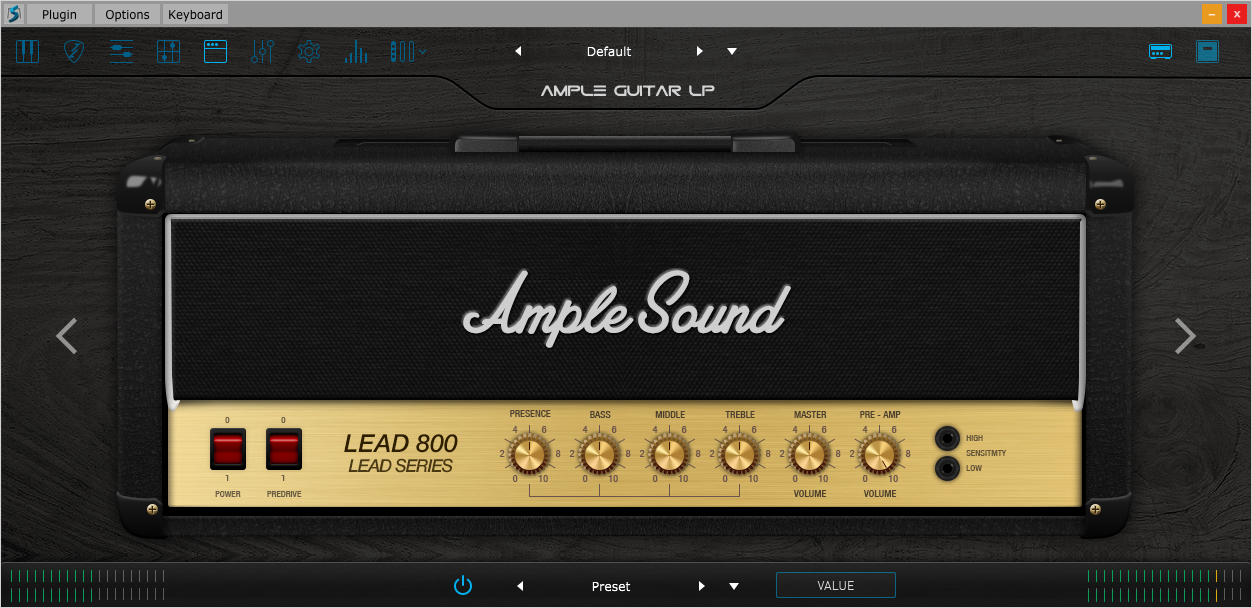
Ample Guitar LP aim to bring a Gibson Les Paul 1958 Reissue guitar sound to your studio.
System Requirements:
- Windows: Windows 7/8/10, 64-bit only (32-bit not supported).
- Mac: 10.9 or higher.
- VST2, VST3, AU, AAX and Standalone host.
- 10 GB Hard Disk, Intel i5 or higher.
Sampling:
- Size:7.5 GB
- Neck, Bridge, Both pickup three sample libraries.
- Stereo and Mono Modes.
- Sustain, Hammer On & Pull Off, Legato Slide, Slide in & out, Palm Mute, Pop, Natural Harmonic, Pinch Harmonic, Slide Guitar 11 articulations, Legato at random length & pitch & poly.
Technology:
- CPC (Customized Parameters Control) – any controller can be controlled by MIDI CC or Automation.
- Double Guitar.
- Poly Legato and Slide Smoother.
- Alternate Tuner.
- Multiple Capo Logics – providing various options of automatic fingering logic to cover different performance such as solo, chorus, and so on.
- Grainy – Enhance grainy of attack and produce the random humanization.
AMP Simulator:
- Built-in AMP system, including several classic AMP models: Metal Double (modeled on Mesa Boogie Dual), Metal Treble (modeled on Mesa Boogie Triple), Lead 800 (modeled on Marshall JCM800), Jazz 120 (modeled on Roland JC120), 65 Twang (modeled on Fender 65 Twin Reverb) and 57 Delight (modeled on Fender 57 Deluxe).
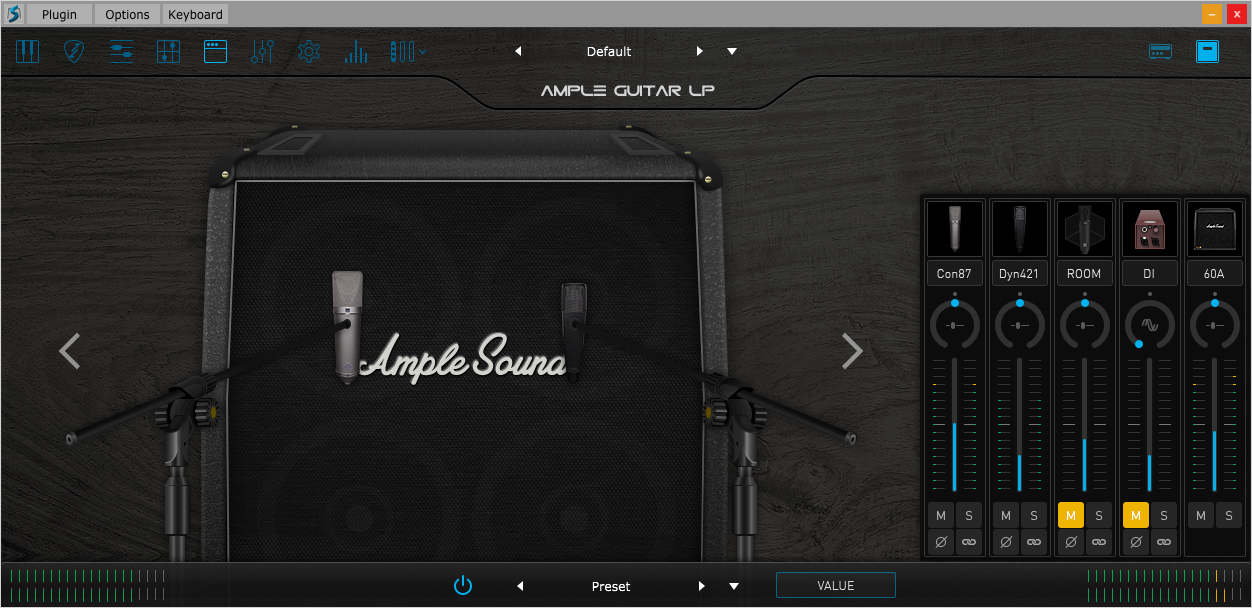
- Several matching cabinets:1×12 57D, 2×12 65T, 2×12 120, 4×12 60A, 4×12 60B, 4×12 Ro and 4×12 Ri.
- Each Cabinet has 8 mic options: U87, C414, MD421, SM57, E609, C414 XLS, R121 and M160.
- Room Mics.
- Hundreds presets, each preset featured a riff which users can go to Riffer panel and have a preview.
Riffer:
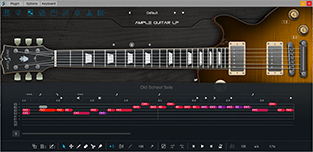
- String Roll Editor: can clearly show fingering, articulation, expression and even playing noise. Every note has 8 attributes – pitch, velocity, length, off velocity, articulation, legato, vibrato and bend, with which you can make a delicate lick.
- Dice – Random Riff Generator: A click will create a new inspiration because it is not simply a random algorithm. Rather, it summarizes the rules through analyzing a bunch of music scores.
- Multiple selection and operation, undo and redo etc. multiple MIDI tools, including fixed velocity, length legato and restrict, select, move, draw, erase, split, glue etc.
Strummer:
- 14 Strum notes + 28 ways to play for every chord.
- Strum Legato – legato articulations can be played while strumming.
- 4 humanization settings.
- Select and Detect 2 chord modes, any chords could be customized.
- Strum SEQ with customized rhythm.
- Delicate presets with MIDI export.
FX:
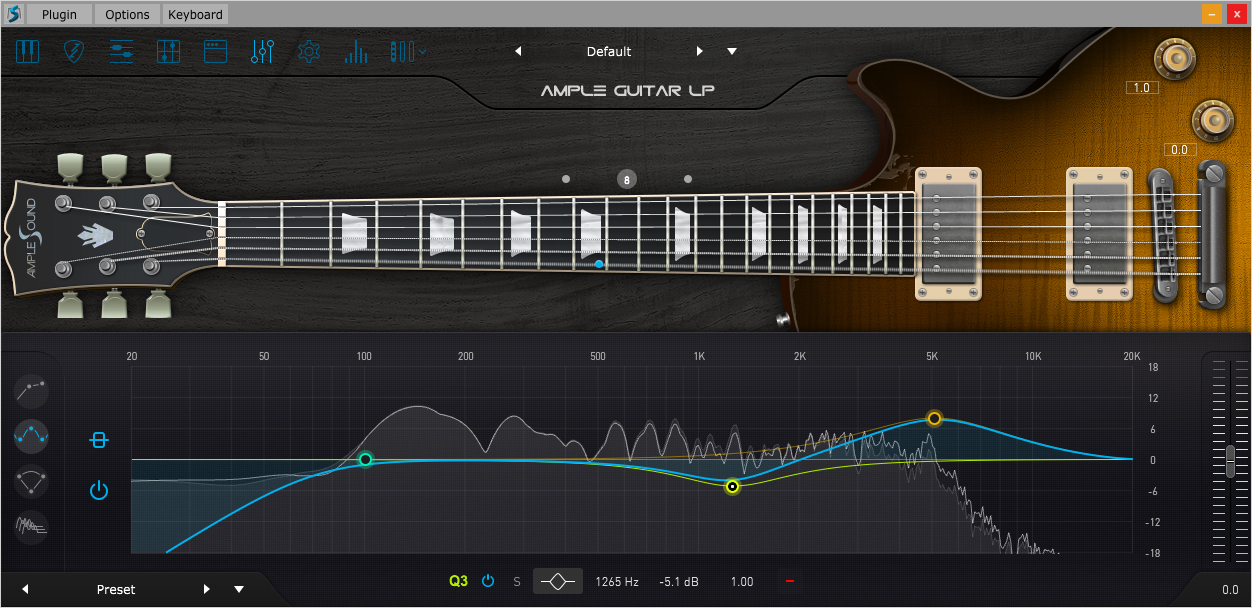
- High order 8-band EQ, intuitive control of frequency response, real-time visualization of input and output spectrum, support of soloing single band..
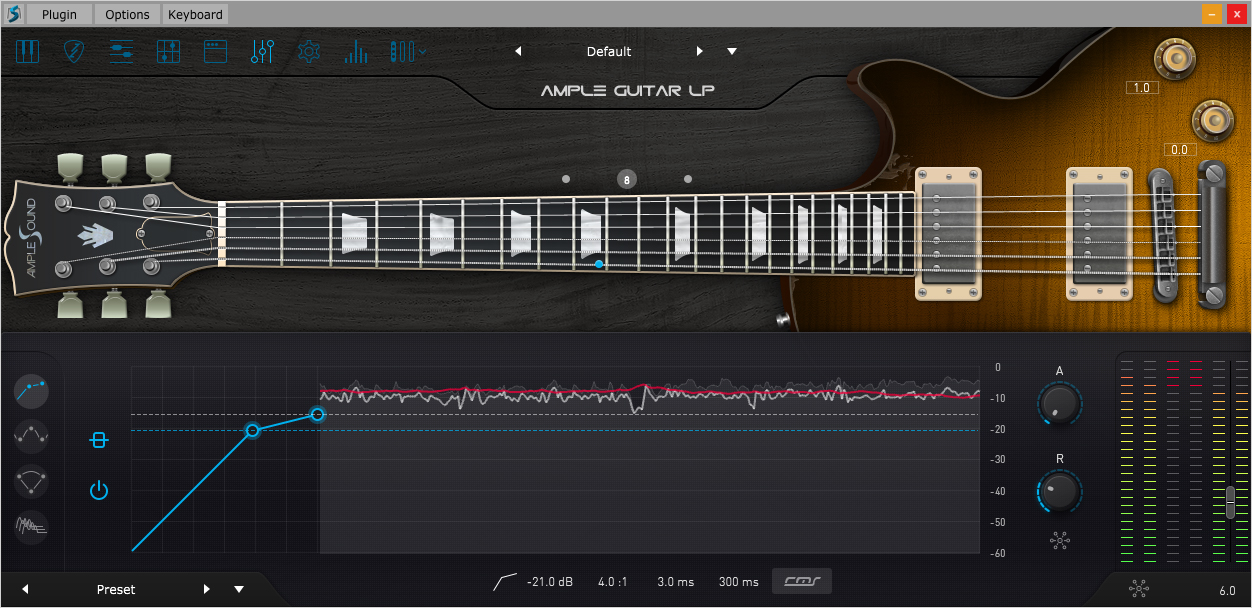
- 2-Line Compressor, real-time visualization of input and output signal, two detection modes RMS & Peak, support of soft knee, auto release and auto makeup.
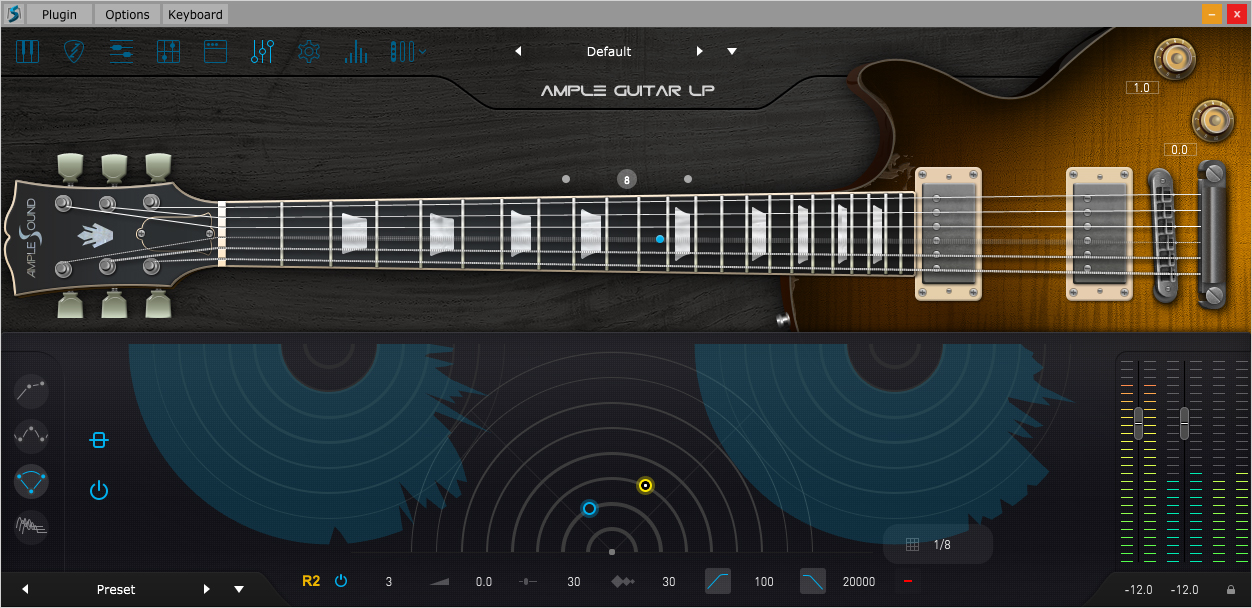
- 6-Tap Echo, real-time visualization of the processing of stereo signal, can tweak the parameters of 6 echo points individually: feedback, pan, volume etc.
- IR Reverb, providing four types of IR: Room, Studio, Hall, and Larger Hall. 3D visualization of IR spectrum.
Tab Reader:
- The Tab Player can load and play Guiar pro 4 – 8 formats. Users can load, display and playback any specific track inside a tablature file. When used in DAWs, the Tab Player also allows users to export the tablature as an audio file.
-
 Main
Main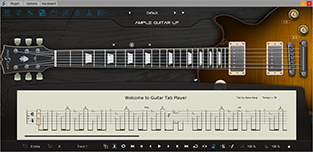 Tab Reader
 Riffer
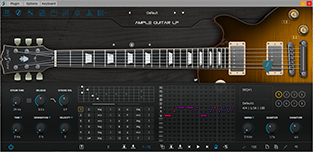 Strummer
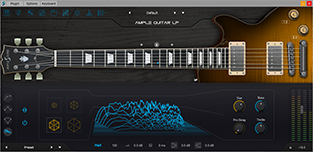 FX – IR Reverb
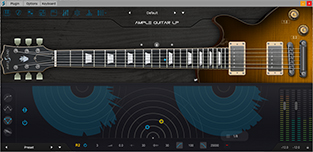 FX – Echo
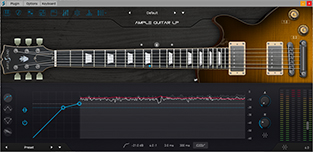 FX – Compressor
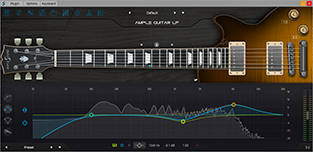 FX – EQ
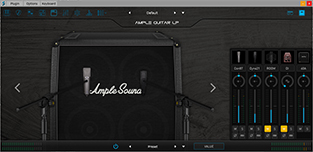 Cabinets and Mixer
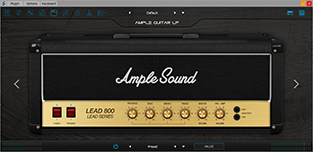 AMP Sim
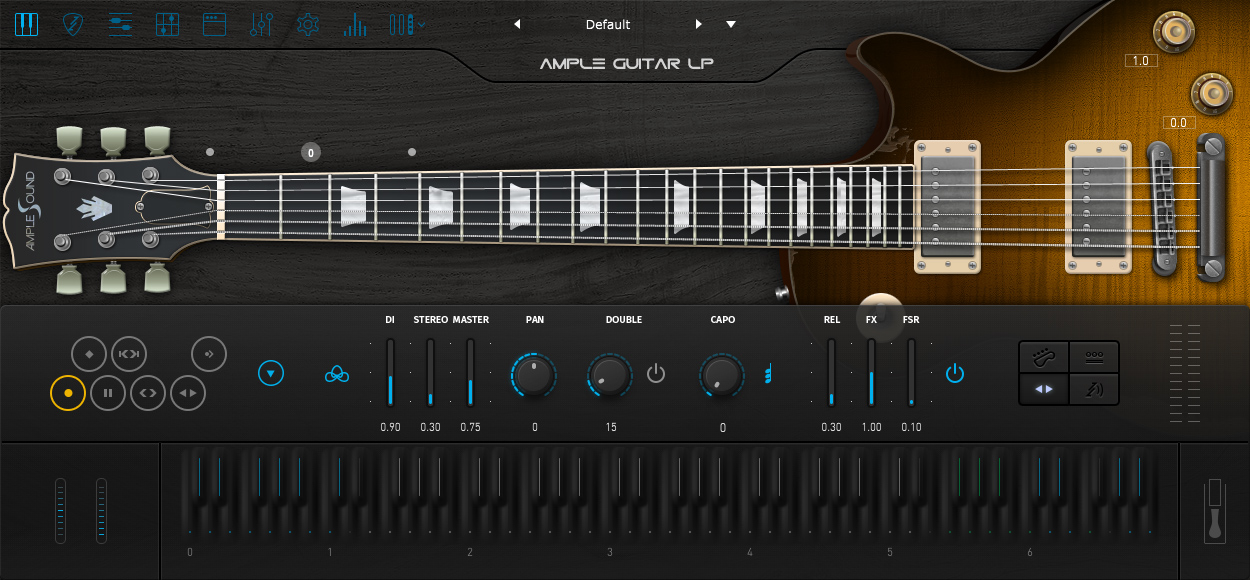
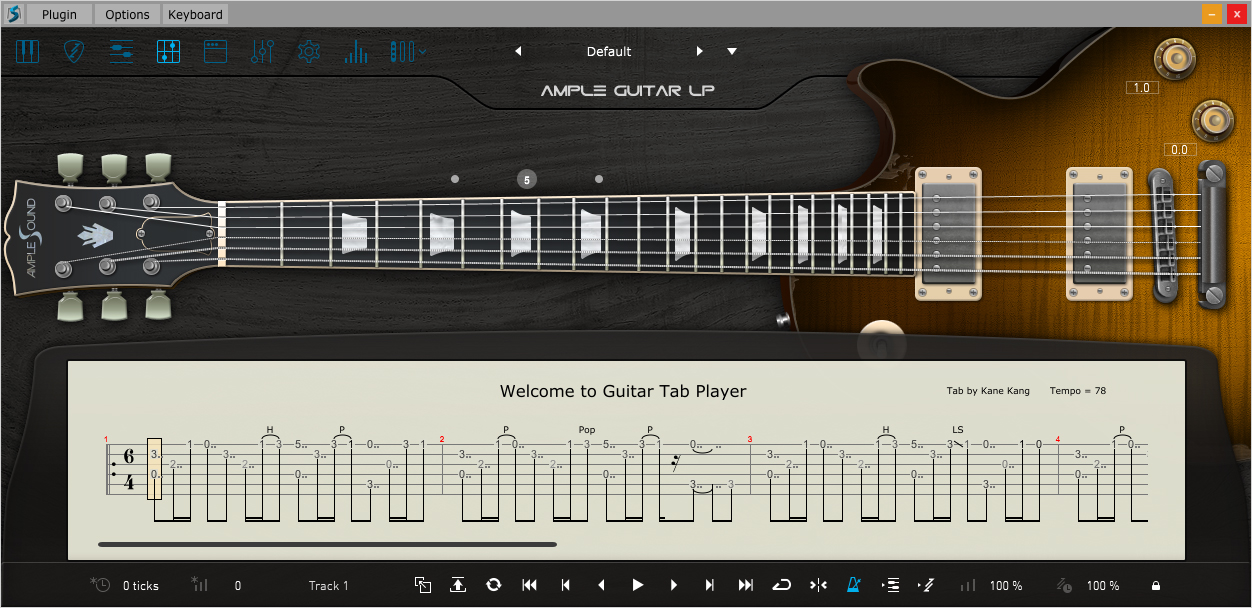
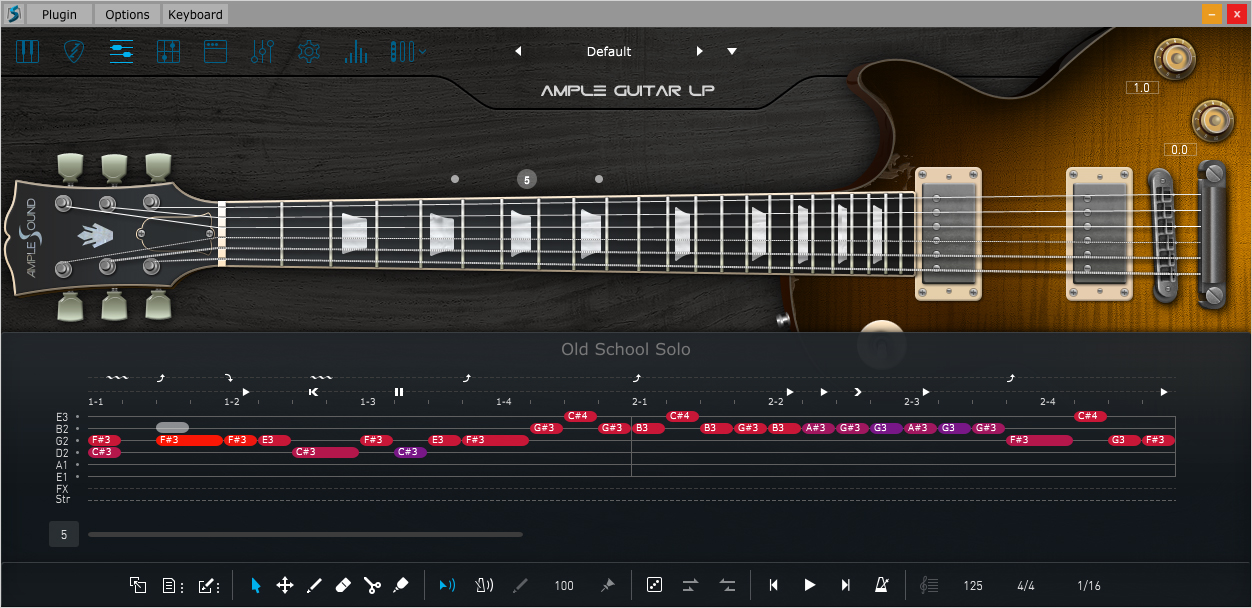
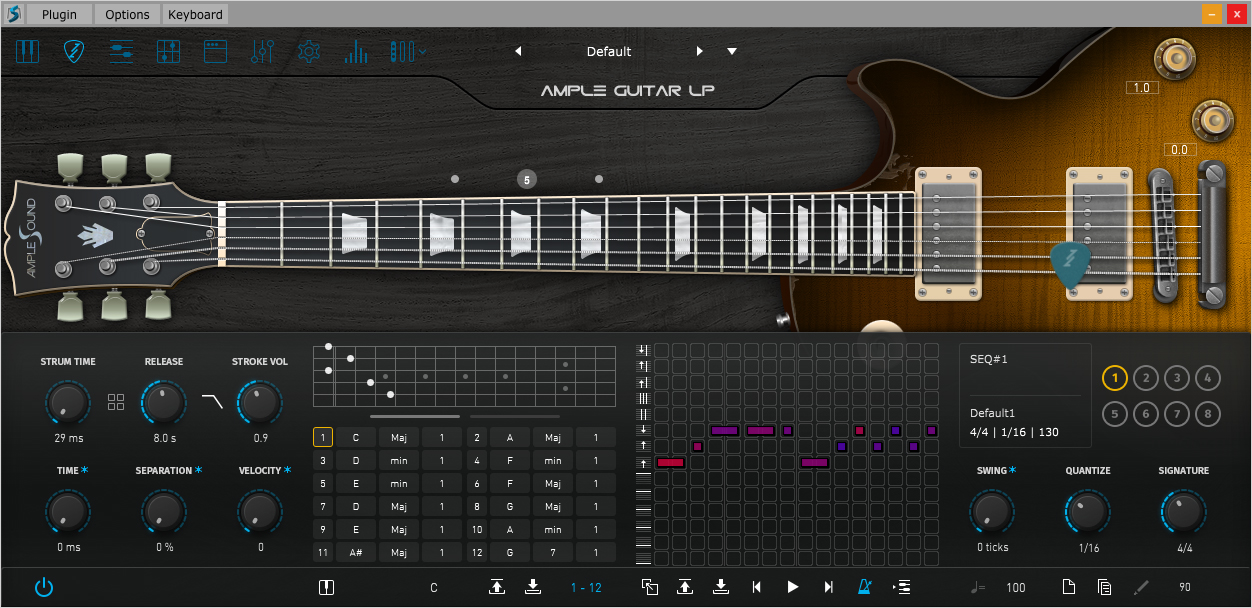
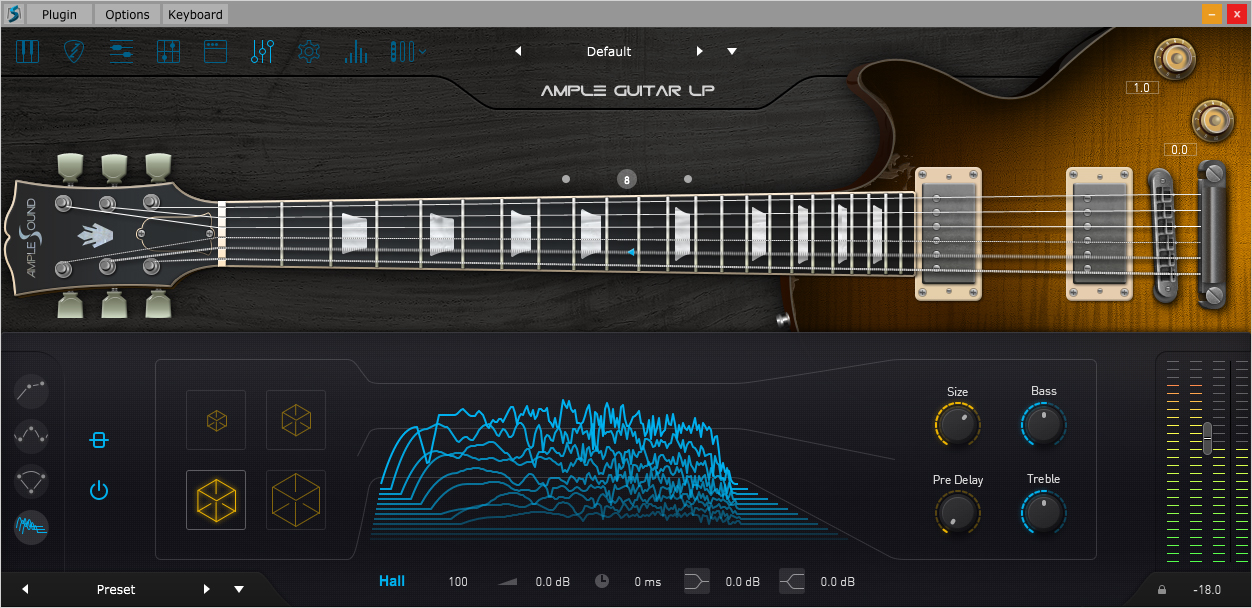
Ample Guitar LP aim to bring a Gibson Les Paul 1958 Reissu
| Operating System | MAC OS, Windows OS |
|---|
Brand
Ample Sound
Quick Answer: Ample Sound creates professional guitar and bass VST plugins for music production. Licensed products available at ExtraPlugins with lifetime support, 2-day money-back guarantee, and remote installation service. Compatible with all major DAWs including Logic Pro, Cubase, FL Studio, and Reaper.
Last Updated: January 29, 2026
Trusted by 15,000+ Music Producers Worldwide
What is Ample Sound?
Ample Sound is a virtual instrument developer specializing in guitar and bass plugins for music production. The company creates sample-based software instruments using multi-layer recording techniques and advanced scripting. ExtraPlugins operates from New York, USA, providing licensed Ample Sound products to musicians and producers worldwide since 2020. Our platform offers instant downloads with lifetime customer support for each purchase. Ample Sound instruments work as VST, AU, and AAX plugins. They load in major DAWs including Logic Pro X, Cubase Pro, FL Studio, Reaper, Ableton Live, Pro Tools, and Studio One.Why Buy Ample Sound from ExtraPlugins
Licensed Software Distribution
ExtraPlugins sells only licensed Ample Sound products. Each purchase includes official activation codes and proper documentation. All software comes from verified developer sources.Instant Digital Access
Download begins immediately after purchase completion. Access available 24/7 from customer account dashboard. No physical shipping required. Average download time 10-30 minutes depending on product size.Lifetime Customer Support
Technical assistance provided for lifetime of each order. Support covers installation, activation, DAW compatibility, and troubleshooting. Response time typically within 24 hours.1 Month Testing Period
Test software functionality for complete month after purchase. Report any technical issues during this warranty period. Support team assists with product verification and performance optimization.Remote Installation Service
Professional installation assistance available when needed. Technical team connects securely to customer system. Service included with all purchases at no additional cost.Secure Transaction Processing
Payment system uses encrypted SSL connections. Customer information protected throughout checkout process. Multiple payment methods supported including major credit cards and PayPal.Global Service Coverage
Service operates worldwide from New York headquarters. International transactions supported in multiple currencies. English language support provided via email and live chat.ExtraPlugins Purchase Guarantee
2-Day Money-Back Guarantee
Refund available within 2 days of purchase under specific conditions. Applies when product not working with valid proof provided. Also available if customer support unable to resolve technical issues, or product not downloaded after purchase. Card company or financial institution processes refund in 7-14 business days. Request must be submitted through official support email or live chat only.Product Warranty Coverage
One month warranty covers product functionality and performance. Technical support assists with any issues during warranty period. Remote installation service included when installation problems occur.Order Access Validity
Orders remain accessible in customer account per terms of service. Download access maintained for purchased products. Product updates provided free for same version.Ample Sound vs Competitors Comparison
| Feature | Ample Sound | Native Instruments | Spectrasonics |
|---|---|---|---|
| Format | Standalone VST/AU | Kontakt Required | Standalone |
| Guitar Focus | Specialized | General | Limited |
| Price Range | $99-$199 | $199-$399 | $299-$499 |
| Sample Size | 3-15GB | 5-20GB | 30-50GB |
| CPU Usage | Moderate | High | High |
| Articulations | Extensive | Basic | Moderate |
Ample Sound Product Categories
Ample Sound organizes products by instrument type and musical style. Each category contains multiple plugin options with different features and price points.Acoustic Guitar Plugins
Acoustic guitar plugins include steel string and nylon string models. Products feature multiple playing techniques including fingerpicking, strumming, and palm muting. Sample libraries recorded with professional studio microphones. Common Uses: Folk, Country, Pop, Singer-Songwriter, Acoustic Rock, Indie Notable Products: AGM (Martin Style), AGT (Taylor Style), AGF (Folk), ACE (Classical), AGG (Guild) Typical Size: 6-12GB installed Price Range: $99-$169Electric Guitar Plugins
Electric guitar instruments cover rock, metal, blues, and jazz styles. Products include single-coil and humbucker pickup options. Different amp simulations and cabinet models available within plugin interface. Common Uses: Rock, Metal, Blues, Jazz, Pop, Alternative, Punk Notable Products: AGP (Les Paul Style), AGL (Telecaster Style), AGS (Stratocaster Style), AGML (Metal), AGV (SG Style) Typical Size: 4-10GB installed Price Range: $119-$189Bass Guitar Plugins
Bass plugins include electric bass and upright bass models. Products contain fingerstyle, slap, pick, and mute techniques. Multiple string configurations available including 4-string, 5-string, and 6-string models. Common Uses: Rock, Jazz, Funk, Pop, Electronic, Hip-Hop, R&B Notable Products: ABJ (Jazz Bass), ABP (Precision Bass), AMEB (Metal Bass), AUB (Upright Bass), ABP2 (5-String) Typical Size: 3-8GB installed Price Range: $99-$159Specialized String Instruments
Additional instruments include ukulele, mandolin, banjo, and ethnic string instruments. Designed for specific musical styles and regional music production requirements. Common Uses: World Music, Folk, Bluegrass, Film Scoring, Game Audio, Celtic Notable Products: Ample Ethno Ukulele, Ample China Pipa, Ample Erhu, Ample Percussion, Mandolin Typical Size: 2-6GB installed Price Range: $79-$149Ample Sound Product Version Comparison
| Feature | Lite Version | Full Version |
|---|---|---|
| Sample Layers | 4 velocity layers | 8+ velocity layers |
| Articulations | Basic (5-8) | Complete (15-25) |
| Round Robin | 2x variation | 4-8x variation |
| File Size | 2-4GB | 6-15GB |
| CPU Usage | Low-Medium | Medium-High |
| Price | $59-$99 | $129-$199 |
| Best For | Demos, Sketches | Professional Work |
Is Ample Sound Safe and Legitimate?
Developer Background
Ample Sound operates as established virtual instrument developer since 2011. Company maintains official website at amplesound.net with customer support channels. Products distributed through authorized retailers in over 50 countries worldwide.Software Security
Ample Sound plugins follow standard software development practices with code signing. Official releases contain no malware or security vulnerabilities per independent security testing. Downloads from authorized sources verified safe by antivirus companies.ExtraPlugins Authorization
ExtraPlugins operates as licensed software retailer registered in New York. All Ample Sound products sold through official distribution channels. Activation codes provided directly from developer licensing systems.Purchase Security
Customer payment information protected through PCI DSS compliant encrypted processing. Transaction data secured per industry standards including SSL encryption. Account information kept confidential per privacy policy.Community Reputation
Ample Sound products receive positive feedback on KVR Audio, Gearspace, and VI-Control forums. Users report stable performance across Windows 10/11 and macOS Monterey through Sonoma. Technical quality recognized by professional musicians and producers at Abbey Road, Hans Zimmer Studio, and Skywalker Sound.System Requirements and Compatibility
Operating System Requirements
Windows: Windows 7 SP1 or later (64-bit), Windows 10 recommended macOS: macOS 10.9 or later, macOS 12 Monterey or later recommended Processor: Intel Core i5 or AMD equivalent minimum, i7 or M1/M2 recommended RAM: 4GB minimum, 8GB or more recommended Storage: SSD recommended for optimal loading timesDAW Compatibility
Ample Sound plugins work in Logic Pro X (10.5+), Cubase Pro (10-14), FL Studio (20.8+), Reaper (6.0+), Ableton Live (10-12), Pro Tools (2020+), Studio One (5-6), Bitwig Studio (4-5), and other VST/AU/AAX compatible hosts.Format Support
VST: VST2 and VST3 (64-bit) for Windows and macOS AU: Audio Units (64-bit) for macOS only AAX: Pro Tools 11 or later (64-bit) Standalone: Works independently without DAWInstalling Ample Sound Plugins
Standard Installation Process
- Download installer from ExtraPlugins customer account dashboard
- Locate downloaded file (typically in Downloads folder)
- Run installation file with administrator privileges
- Follow setup wizard instructions and accept license agreement
- Choose installation location (default recommended)
- Enter license code provided in purchase email
- Complete installation and restart DAW
- Verify plugin appears in DAW plugin list
Remote Installation Service
ExtraPlugins offers remote installation assistance for customers experiencing difficulties. Technical team uses secure remote desktop connection (TeamViewer or AnyDesk). Service available Monday-Friday 9 AM - 6 PM EST. Schedule appointment through customer support email or live chat.Installation Troubleshooting
Common installation issues include incorrect plugin folder path, insufficient permissions, or antivirus interference. Disable antivirus temporarily during installation. Run installer as administrator. Verify sufficient disk space available. Contact support if issues persist beyond basic troubleshooting.Using Ample Sound in Different DAWs
Logic Pro X Integration
Install Ample Sound using provided installer application. Plugin appears in Logic Pro AU instrument list under "Audio Units" category. Select from plugin menu to load into software instrument track. Configure MIDI input in track inspector. Adjust buffer size in Logic Preferences for optimal performance.Cubase Pro Setup
Add Ample Sound VST path in Cubase plugin manager if not auto-detected. Path typically: C:\Program Files\VSTPlugins (Windows) or /Library/Audio/Plug-Ins/VST (Mac). Rescan plugins after installation completes. Load from VST instruments menu in project. Enable MIDI input monitoring in track settings.Cubase 14 Compatibility Notes
Ample Sound plugins compatible with Cubase 14 as of January 2026. Ensure plugin updated to version 3.5 or later for full compatibility. Some users report improved stability with VST3 format over VST2. Contact ExtraPlugins support if specific compatibility issues arise.FL Studio Integration
Place Ample Sound VST file in FL Studio plugin folder (typically C:\Program Files\Image-Line\FL Studio\Plugins\VST). Refresh plugin database in FL Studio options menu. Add from plugin picker in channel rack. Route MIDI from piano roll or external controller. Adjust buffer length in audio settings for smooth playback.Reaper Configuration
Reaper automatically scans standard VST folders on startup. Add custom VST path in Preferences > Plugins > VST if needed. Access from FX browser after successful scan. Insert as virtual instrument on track. Configure MIDI hardware in Reaper preferences for controller input.Ample Sound and Kontakt: Understanding the Difference
Independent Plugin Architecture
Ample Sound plugins operate as complete standalone instruments. They do not require Kontakt, PLAY Engine, or any external sampler software. Each product includes proprietary sample engine developed specifically for guitar and bass playback.File Format Incompatibility
Ample Sound instruments use proprietary .asd format and cannot load in Native Instruments Kontakt. Different sample architectures and scripting systems prevent cross-compatibility. Kontakt libraries similarly cannot load in Ample Sound plugins.Installation and CPU Usage
Ample Sound plugins install directly to VST/AU folders. No base sampler required reducing total CPU overhead. Each plugin optimized specifically for guitar/bass rather than general-purpose sampling. Typically uses 20-40% less CPU than equivalent Kontakt library.Technical File Information
ASC File Extension Explained
ASC files contain Ample Sound configuration data including articulation mappings, keyswitches, velocity curves, and effect settings. These files store user presets and factory configurations. Located in plugin installation directory under Presets folder. File size typically 10-50KB per preset.ASCF File Format
ASCF files represent Ample Sound factory configuration formats. Contains default instrument settings and sample mappings. Modified during plugin updates to improve sound or add features. Located in Resources folder within plugin directory. Do not delete or modify these files.Sample File Management
Audio samples stored in proprietary compressed format for efficient streaming. Located in Samples subfolder within plugin installation directory. Total sample folder size ranges from 2GB to 15GB depending on product. Moving sample folder requires reinstallation - not recommended.Common Technical Issues and Solutions
Plugin Not Appearing in DAW
Solution: Verify plugin installed to correct VST/AU folder. Default paths: C:\Program Files\VSTPlugins (Windows) or /Library/Audio/Plug-Ins (Mac). Rescan plugins in DAW preferences or plugin manager. Check DAW supports 64-bit plugins if using 64-bit version. Restart DAW after installation.Activation and License Issues
Solution: Confirm license code entered correctly without spaces or extra characters. Check internet connection active during activation process. Verify activation email not in spam folder. Contact ExtraPlugins support with order number for assistance. Activation typically processes within 2 minutes.No Audio Output from Plugin
Solution: Verify MIDI data reaching plugin (check MIDI indicator in plugin UI). Confirm plugin output routed correctly to master or audio track. Check audio interface selected in DAW preferences. Verify buffer size set appropriately (256-512 samples recommended). Test with different MIDI controller or virtual keyboard.Performance and CPU Issues
Solution: Increase buffer size in DAW audio settings (512-1024 samples). Close unnecessary background applications and browser tabs. Disable unused articulations in plugin interface. Consider Lite version for lower CPU usage. Upgrade to SSD storage for faster sample streaming. Check system meets minimum requirements.Slow Plugin Loading Times
Solution: Initial load time 10-30 seconds normal for large sample libraries. Subsequent loads faster after first initialization (2-5 seconds). Install samples to SSD rather than HDD for 3-5x faster loading. Defragment hard drive if using HDD. Ensure antivirus not scanning plugin files during load.Creating Realistic Guitar Performances
Articulation Selection Strategy
Use appropriate playing techniques for musical context and genre. Switch between picking, strumming, palm mute, and slide articulations dynamically. Apply vibrato on sustained notes longer than 2 beats. Use hammer-on and pull-off for legato passages. Enable auto-articulation switching for real-time performance.Velocity Programming Techniques
Vary MIDI velocity between 40-120 for natural dynamics (avoid extremes 0-127). Mix soft attacks (50-70) and hard attacks (90-110) throughout performance. Use crescendos and diminuendos in sustained passages. Program velocity curves in DAW for automatic variation. Humanize velocity by 10-15% for less mechanical feel.Timing Humanization Methods
Offset strumming notes by 5-15ms per string for realistic spread. Add subtle timing variations (+/- 10ms) in repeated patterns. Slightly rush upbeats and lay back on downbeats for groove. Use DAW humanize functions with 10-15% randomization. Record with MIDI controller rather than mouse-clicking for natural timing.Effects Processing Chain
Recommended signal chain: EQ > Compression > Amp Sim > Reverb. Apply subtle EQ cut at 200-400Hz to reduce muddiness. Use 2:1-4:1 compression ratio for evening dynamics. Choose appropriate amp simulation for genre (clean for jazz, distortion for rock). Add room reverb (15-25% wet) for realistic acoustic space.GarageBand Compatibility Guide
AU Plugin Installation
Ample Sound AU versions work in GarageBand 10 or later on macOS. Install using provided installer - no manual file copying needed. Restart GarageBand after installation. Rescan audio units from GarageBand preferences if needed. Load from software instruments category under third-party instruments.Free and Lite Versions
Free demo versions function in GarageBand if AU format supported. Same installation process as full versions applies. Demo versions typically include time limitation (15 minutes) or reduced features. Lite versions work without restrictions in GarageBand with reduced sample content.Performance Optimization
Lite versions strongly recommended for GarageBand users with limited system resources. Full versions may use 50-80% CPU on older Mac systems. Set buffer size to 256-512 samples in GarageBand preferences. Close other applications during use. Freeze tracks after recording to reduce CPU load.Product Installation Sizes
Acoustic Guitar Products
AGM (Martin): 12GB installed, AGT (Taylor): 10GB, AGF (Folk): 8GB, ACE (Classical): 6GB. Lite versions: 2-4GB installed. Download sizes 40-60% smaller due to compression. Requires additional 20% temporary space during installation process.Electric Guitar Products
AGP (Les Paul): 8GB, AGL (Telecaster): 7GB, AGS (Stratocaster): 9GB, AGML (Metal): 10GB. Lite versions: 3-4GB installed. Download time 15-30 minutes on standard broadband connection.Bass Guitar Products
ABJ (Jazz Bass): 5GB, ABP (Precision): 6GB, AMEB (Metal): 7GB, AUB (Upright): 4GB. Lite versions: 2-3GB installed. Smallest product category due to fewer strings and lower frequency range.ExtraPlugins Customer Policies
Account Security Requirements
Keep account credentials confidential and secure. Do not share login information with other individuals. Enable two-factor authentication if available. Account sharing may result in immediate suspension per terms of service. Contact support immediately if unauthorized access suspected.Payment Verification Process
Use own payment methods for all purchases - no third-party cards. Billing address must match payment method on file. Fraudulent payment attempts result in immediate account freeze and order cancellation. Manual verification via phone call required before account restoration. Processing time 2-5 business days for verification.VPN and Proxy Restrictions
Creating accounts or making purchases through VPN or proxy services strictly prohibited. Such activity triggers automatic security flags and immediate account suspension. Customer support and pre-sale assistance unavailable for proxy users. Use legitimate connection for account access and purchases.Fraudulent Claims Policy
Filing false chargebacks after receiving products violates terms of service. Accounts permanently suspended for confirmed fraudulent activity. All claims reviewed before processing - provide accurate information. False claims may result in legal action and ban from future purchases.Frequently Asked Questions
Is Ample Sound safe to download and use?
Yes, Ample Sound is completely safe when downloaded from authorized retailers like ExtraPlugins. Official releases are code-signed and contain no malware. ExtraPlugins provides only licensed versions with proper activation codes.Does Ample Sound require Kontakt to work?
No, Ample Sound plugins are standalone instruments that do not require Kontakt or any other sampler. Each plugin includes its own sample engine and works directly as VST, AU, or AAX format in your DAW.What DAWs are compatible with Ample Sound?
Ample Sound works in all major DAWs including Logic Pro, Cubase, FL Studio, Reaper, Ableton Live, Pro Tools, Studio One, and GarageBand. Compatible with any VST, AU, or AAX host application.How large are Ample Sound plugins?
Full versions range from 6GB to 15GB installed depending on the instrument. Lite versions are 2-4GB. Acoustic guitars are typically the largest, while bass instruments are smaller at 3-8GB.Can I use Ample Sound in Cubase 14?
Yes, Ample Sound plugins work with Cubase 14. Ensure your plugin is updated to version 3.5 or later for optimal compatibility. VST3 format recommended over VST2 for better stability.How do I install Ample Sound plugins?
Download the installer from your ExtraPlugins account, run it with administrator privileges, enter your license code when prompted, and the plugin will install automatically. Installation takes 5-15 minutes. Remote installation assistance available if needed.What is the difference between Lite and Full versions?
Lite versions include 4 velocity layers and 5-8 articulations (2-4GB). Full versions include 8+ velocity layers and 15-25 articulations (6-15GB). Full versions provide more realistic dynamics and playing techniques for professional work.Does Ample Sound work on Mac M1/M2 chips?
Yes, Ample Sound plugins are fully compatible with Apple Silicon M1, M2, and M3 processors running macOS 12 Monterey or later. They run natively without requiring Rosetta translation.Can I use Ample Sound in GarageBand?
Yes, Ample Sound AU versions work in GarageBand 10 or later on macOS. Install normally and access from the software instruments menu. Lite versions recommended for systems with limited resources.What is ExtraPlugins' refund policy?
ExtraPlugins offers a 2-day money-back guarantee. Refunds available if product not working with valid proof, support unable to resolve issues, or product not downloaded. Processing takes 7-14 business days through your payment provider.How do I export MIDI or tabs from Ample Sound?
Ample Sound does not export MIDI or tablature directly. Export MIDI from your DAW's timeline. For tabs, export MIDI and import into Guitar Pro or similar notation software.What are ASC and ASCF file extensions?
ASC files store preset configurations including articulations and effects. ASCF files contain factory settings and sample mappings. Both are used internally by Ample Sound plugins and should not be manually modified.How much RAM does Ample Sound require?
Minimum 4GB RAM required, 8GB or more recommended. Full versions typically use 500MB-2GB RAM depending on the instrument. Lite versions use 200-800MB RAM.Can I get free updates for Ample Sound?
Yes, ExtraPlugins provides free updates for the same product version. Major version upgrades (e.g., v3 to v4) may require separate purchase. Update notifications sent via email when available.Why is my plugin not showing in my DAW?
Verify installation to correct VST/AU folder, rescan plugins in DAW preferences, check 64-bit compatibility, and restart your DAW. Contact ExtraPlugins support if issues persist - remote installation service available. Join 15,000+ satisfied customers - Shop with confidence at ExtraPluginsBrowse Ample Sound Products
Explore complete Ample Sound catalog at ExtraPlugins. Compare features across different instrument models and versions. Find appropriate virtual guitar or bass for specific production requirements and budget. All purchases include instant download access and lifetime customer support. Licensed software with official activation codes. Secure checkout with encrypted payment processing and multiple payment options.Product Categories
- Acoustic Guitars - Steel string and nylon string models (AGM, AGT, AGF, ACE)
- Electric Guitars - Rock, metal, blues, jazz styles (AGP, AGL, AGS, AGML)
- Bass Guitars - Electric and upright bass instruments (ABJ, ABP, AMEB, AUB)
- Specialized Instruments - Ukulele, mandolin, ethnic strings (Ethno series, China series)
205 reviews for Ample Guitar Les Paul III
| 5 star | 100% | |
| 4 star | 0% | |
| 3 star | 0% | |
| 2 star | 0% | |
| 1 star | 0% |
1-5 of 205 reviews
Add a review
You must be logged in to post a review
Log In
Related products
-
-
synthesizer
Ample Sounds Mega Guitar Bundle 2025
System Requirements:
- Apple Silicon & Intel Supported
- Lifetime Activation & Access To Download
- Future Free Updates
- Full Version
- 22 Guitars Included
- Instant Download
- Mac: Core i5 or higher, 8GB RAM minimum
- OS Requirements – Mac: OS 10.14 to All New MAC OS X Versions
- WINDOWS: Intel Core i5 or equivalent CPU, 2 GB RAM minimum
- OS Requirements – WINDOWS:Windows 10 or 11 (latest Service Pack)
- WIN Format: Standalone, AAX,VST, AU, NKS
- MAC Format:AAX VST2, VST3, AU,, and Standalone host.
- 100 GB Hard Disk

 SKU: n/a
 -
-
synthesizer
Arturia Pigments 4
System Requirements:
- Apple Silicon & Intel Supported
- Lifetime Activation & Access To Download
- Future Free Updates
- Full Version
- Instant Download
- Mac: 2.4 GHz Dual Core Processor or higher, 8GB RAM minimum
- OS Requirements – Mac: OS 10.13 or later(M1 & M2 Mac Supported)
- Hardware Requirements – PC:2.4 GHz Dual Core Processor or higher, 8GB RAM minimum, 64GB free drive space
- OS Requirements – PC: Windows 10 & 11
- VST, NKS, Standalone
SKU: n/a
I absolutely love the sound and feel of this guitar, it’s been a game-changer for my playing. Would highly recommend to any guitar enthusiast!
Loved the sound quality and ease of use, definitely worth the investment for any guitar player.
I’m really impressed with this guitar plugin, it has a lot of variety and sounds very realistic. Would definitely recommend it to other guitarists.
I absolutely love the realistic sound and easy-to-use interface of this electric guitar virtual instrument. Top-notch quality for sure!
This guitar plugin exceeded my expectations – the tones are incredible and the interface is user-friendly. Would recommend to any guitarist looking for a versatile sound.